
Table of Contents
- What Are Calibration Frames in Astrophotography?
- Bias Frames: Read Noise and Zero-Second Exposures
- Dark Frames: Thermal Noise, Amp Glow, and Best Practices
- Flat Frames: Vignetting and Dust Mote Correction
- Dark Flats vs. Bias Frames on Modern CMOS Sensors
- A Practical Calibration Workflow: From Capture to Stacking
- Dithering, Cosmetic Correction, and Noise Reduction
- Color Calibration, Background Neutralization, and Gradient Removal
- Common Calibration Mistakes and How to Fix Them
- Software Tools: DeepSkyStacker, PixInsight, Siril, AstroPixelProcessor
- Field Scenarios: DSLR, Cooled CMOS, and Narrowband
- Frequently Asked Questions
- Final Thoughts on Choosing the Right Calibration Frames
What Are Calibration Frames in Astrophotography?
Calibration frames are purpose-made images used to correct systematic artifacts in your astrophotos. These artifacts include fixed-pattern noise from electronics, thermally generated signal, optical vignetting, dust shadows, pixel response non-uniformity, and sensor-specific quirks such as amp glow or column banding. By capturing short sets of bias, dark, and flat frames—and sometimes dark flats—you build a statistical model of your camera and optical train’s imperfections. Subtracting and dividing these models from your light frames (your actual astronomical exposures) dramatically improves signal-to-noise ratio and uniformity, enabling cleaner stretching and finer detail.
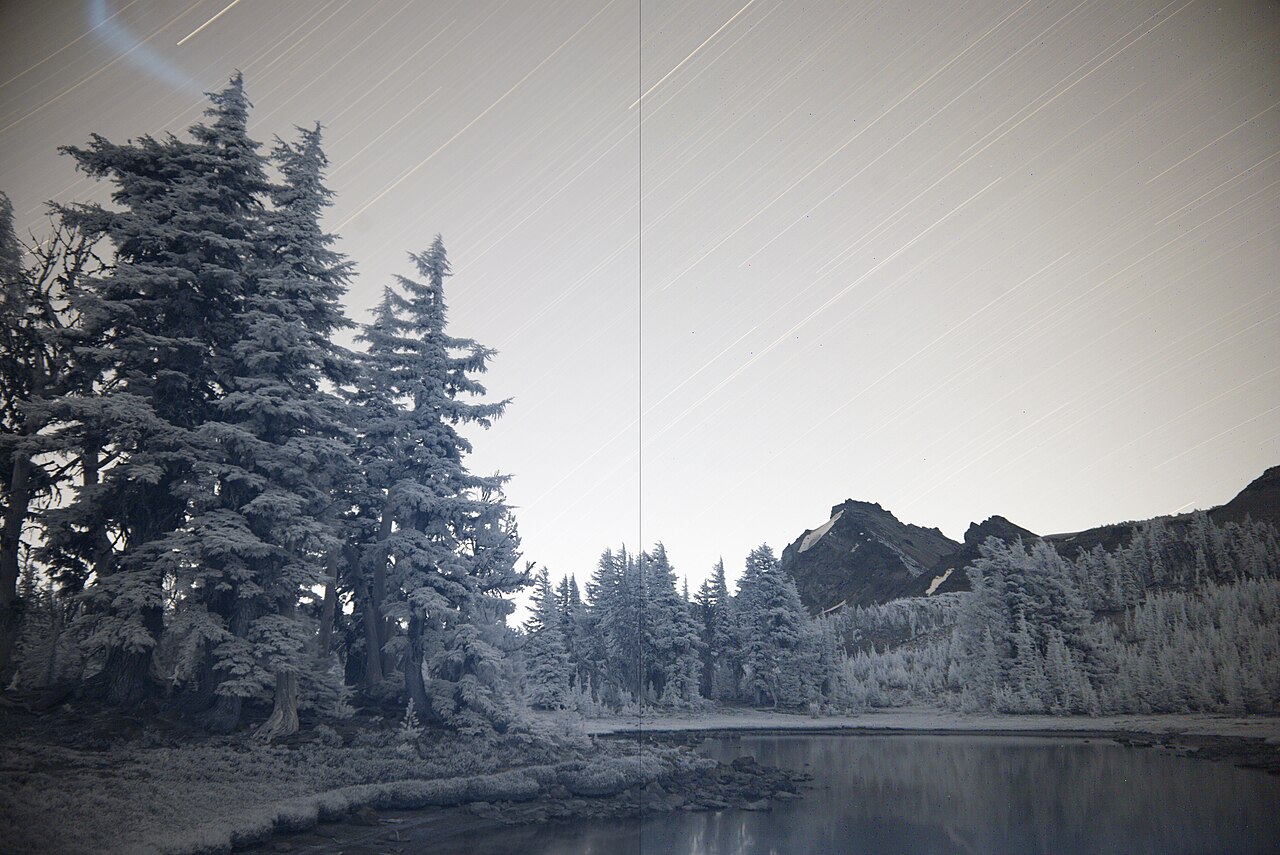
Attribution: Spigget
At a high level, calibration follows a simple principle:
- Remove what the camera adds (bias/read noise and dark current) via bias and dark frames.
- Correct how the optics shape light across the field via flat frames.
- Stack many frames to beat random noise down by the square root of the number of frames, then perform careful background and color calibration.
Although the idea is straightforward, the implementation depends on sensor type (DSLR vs. cooled CMOS), exposure length, temperature management, and even how your camera’s firmware handles shutter and electronics. In this guide, we’ll unpack best practices and decision points you can adapt to your specific setup, with practical workflows in mainstream software.
We will also connect each type of frame to the problems it solves and when you might safely simplify. For example, many modern CMOS cameras favor dark flats over bias frames, while DSLRs at ambient temperature often benefit from matched darks or, if conditions vary, from robust dithering and cosmetic correction.
Bias Frames: Read Noise and Zero-Second Exposures
Bias frames capture the camera’s baseline electronic readout—often called the read noise pedestal—with the shortest possible exposure and the sensor fully dark. They are used to remove the fixed pattern associated with the conversion of charge to digital values, the analog-to-digital converter (ADC), and other electronics in the readout path.
Key points about bias frames:
- Exposure length: The shortest your camera reliably supports, often listed as 0s, 0.001s, or just the minimum. The lens cap or sensor cap should be on, and any light leaks blocked.
- Temperature: For CCDs, bias frames are largely temperature-insensitive. For CMOS, bias patterns can be stable across temperatures, but it is still best practice to take bias (or dark flats) under conditions similar to your lights to avoid subtle mismatches.
- Count: Building a low-noise master bias typically requires 50–200 frames. More frames reduce the master’s noise, important when calibrating a large dataset.
- Usage: Bias frames are subtracted from lights and flats in traditional calibration pipelines to remove the readout pedestal before other corrections.
On legacy CCD workflows, the bias was essential because dark frames were often scaled based on exposure time, and that scaling is anchored by an accurate bias measurement. On modern CMOS sensors, however, ultrashort exposures may exhibit different behavior than longer exposures, potentially making the bias less representative for calibrating flats. That leads to the popular alternative, dark flats, discussed in Dark Flats vs. Bias Frames on Modern CMOS Sensors.
Tip: If you use a DSLR, ensure in-camera noise reduction is disabled when capturing bias frames. Long Exposure Noise Reduction (LENR) or High ISO NR will interfere with consistent calibration.
Dark Frames: Thermal Noise, Amp Glow, and Best Practices
Dark frames measure thermal signal—dark current—and other sensor-specific artifacts such as amp glow in the absence of light. You shoot darks with the exact same exposure settings as your light frames (exposure time, gain/ISO, and ideally temperature), but with the lens or telescope covered.

Attribution: Rawastrodata
Why darks matter:
- Thermal signal: Hotter sensors generate more electrons over time, creating a glow or speckled pattern that mimics faint nebulosity if not removed.
- Amp glow: Some cameras show a characteristic glow in corners or edges caused by electronics near the sensor. It can be largely corrected with well-matched darks.
- Fixed-pattern noise: Columns or bands can be persistent and repeatable from frame to frame, especially in long exposures, and dark frames capture this pattern.
Best practices for darks:
- Match exposure time, gain/ISO, and temperature. For cooled cameras, the easiest method is to build a dark library at common temperatures (e.g., -10°C, -15°C, -20°C) and exposure times you use most often (e.g., 120s, 180s, 300s).
- Control stray light. Use a rigid cap and ensure there are no light leaks from viewfinders, ports, or adapters. Take darks in a dark environment if possible.
- Take enough frames. A common starting point is 20–50 darks per exposure/gain/temperature combination. For very long exposures or cameras with noticeable amp glow, consider 50–100 to lower noise in the master dark.
- Avoid scaling darks on CMOS. Dark scaling (adjusting a dark taken at one exposure time to match another) works poorly for many CMOS sensors due to nonlinearities and complex glow structure. If you need different exposure times, capture dedicated darks for each.
Many astrophotographers compare two workflows: matched darks plus flats versus dithering-only with aggressive cosmetic correction. While dithering can mitigate pattern noise by decorrelating it across frames, it does not remove thermal signal or amp glow. Matched darks remain the most reliable path to clean backgrounds, especially for long-exposure deep-sky targets.
Flat Frames: Vignetting and Dust Mote Correction
Flat frames correct pixel response non-uniformity, the uneven illumination across the field caused by telescope optics, filters, reducers/flatteners, and dust on the sensor window or optical elements. Without flats, stretched images will reveal strong gradients and circular dust shadows (“donuts”) that are extremely difficult to remove in post-processing.


Attribution: H. Raab (User:Vesta), Johannes-Kepler-Observatory, Linz, Austria (http://www.sternwarte.at)
How to shoot flat frames:
- Keep the optical train unchanged. Do not adjust focus, rotate the camera, or remove filters between lights and flats. Even small changes can misalign dust shadows or vignetting patterns.
- Uniform illumination: Use a flat panel, an evenly illuminated T-shirt over the objective pointed at a bright but uniform source (e.g., sky at dawn), or a dedicated dimmable electroluminescent (EL) or LED panel. Aim for even, flicker-free light.
- Exposure target: For linear sensors, aim for a mean level around 30–50% of full well or histogram peak roughly 1/3 from the left. Avoid clipping shadows or highlights. The exact target (measured in ADU or using camera histograms) isn’t critical as long as you are in the linear range and consistent.
- Exposure time: Adjust brightness or exposure to prevent shutter-induced gradients (especially for DSLRs) and to avoid very short exposures that may be nonuniform with rolling shutters. Exposures between ~0.5s and a few seconds are common when using a panel.
- Count: 20–50 flats are typically sufficient. More frames better average photon noise in the master flat.
Flat calibration divides your lights by the normalized master flat, equalizing the field and removing dust shadows. This division requires that you also remove the flat’s bias pedestal. Traditionally, that is done with bias frames, but for many modern CMOS cameras, it’s safer to use dark flats captured at the same exposure time as the flats themselves.
Note: If you change filters, you need new flats for each filter because wavelength-dependent transmission and dust positions relative to each filter can alter the pattern.
Dark Flats vs. Bias Frames on Modern CMOS Sensors
On many CMOS sensors, ultrashort exposures can behave differently from the exposures used for flats, causing the master bias to be a poor model of the pedestal present in flat frames. As a result, a popular and robust practice is to replace bias frames with dark flats (sometimes called flat darks), which are dark frames captured at the same exposure time and gain/ISO as your flats.
Advantages of dark flats:
- Perfect exposure match to flats. Any shutter or rolling-readout quirks that affect flat frames also affect the corresponding dark flats, leading to cleaner subtraction.
- Simple workflow. You don’t have to worry about whether a zero-second exposure is representative; you just match the flat exposure.
- CMOS stability. Many CMOS cameras show consistent flat/dark-flat pairs across typical ambient temperature swings encountered in a session.
When to use bias instead of dark flats:
- CCD cameras with well-behaved bias structure and flat exposures that are not extremely short often calibrate correctly using a master bias.
- When a flat panel requires very short exposures (e.g., 1/1000s) and your camera supports a reliable mechanical shutter and consistent readout, a master bias can suffice; but testing is recommended.
In practice, many astrophotographers with CMOS cameras skip bias frames entirely and adopt the trio: lights + darks + flats + dark flats. If you choose to keep a master bias, verify the results by inspecting calibrated flats and lights for residual patterns. If you see banding or over/under correction in dust motes after calibration, switch to dark flats.
A Practical Calibration Workflow: From Capture to Stacking
Let’s assemble the pieces into a concrete workflow you can follow in the field and at the computer. We’ll present a general approach you can adapt to tools like DeepSkyStacker, PixInsight, Siril, and AstroPixelProcessor. The core steps are the same across software, but naming conventions and buttons differ.
Capture Planning and Acquisition
- Disable in-camera NR. Turn off Long Exposure NR and High ISO NR so your frames are untouched for calibration.
- Control temperature if possible. On cooled cameras, pick a setpoint (e.g., -10°C) you can reach year-round. On DSLRs, shoot your calibration frames the same night if temperatures are changing.
- Dither during acquisition. Enable dithering in your autoguiding software or mount control (see Dithering, Cosmetic Correction, and Noise Reduction).
- Record settings. Keep a log of exposure, gain/ISO, filter, temperature, and focus position to guide your calibration libraries.
Recommended Frame Sets
- Lights: As many as conditions allow. 30–200+ frames is common for broadband targets. For narrowband, fewer but longer exposures may be used.
- Darks: 20–50 matched to the lights’ exposure, gain/ISO, and temperature.
- Flats: 20–50 per filter or per setup change, target 30–50% histogram.
- Dark Flats: 20–50 per filter, exposure and gain match to flats. If using bias instead, 50–200 biases.
Calibration Math Overview
The standard operations are:

Attribution: HiyoriX
- Master Creation: median or sigma-clipped stacking of each calibration set to make a low-noise master.
- Bias (or Dark Flat) Subtraction from Flats: removes pedestal so flat represents only illumination pattern.
- Dark Subtraction from Lights: removes thermal/amp glow and fixed pattern.
- Flat Fielding: divide lights by the normalized master flat to correct vignetting and dust.
In pseudocode, a classic CCD-style pipeline looks like:
# Build masters
MasterBias  = stack(bias_frames, method="median")
MasterDark  = stack(dark_frames, method="sigma_clip")
MasterFlatP = stack(flat_frames - MasterBias, method="median")
MasterFlat  = normalize(MasterFlatP)

# Calibrate lights
Calibrated = (light_frames - MasterDark) / MasterFlat

# Register, integrate, post-process
Aligned    = register(Calibrated)
MasterLight= integrate(Aligned, method="winsorized_sigma")
Final      = background_modeling(MasterLight)
Final      = color_calibrate(Final)
Final      = noise_reduction(Final)
On modern CMOS with dark flats, we simply swap the pedestal removal step:
MasterFlatP = stack(flat_frames - MasterDarkFlat, method="median")
Note: The exact implementation and normalization options vary across tools. See Software Tools for menu-oriented guidance.
Quality Checks During Calibration
- Inspect Masters: Stretch the master dark and master flat to ensure they contain the expected patterns. Amp glow should be visible in master darks if your camera exhibits it, and dust motes/vignetting should appear in master flats.
- Calibrated Flats: After subtracting the pedestal (bias or dark flat), verify that the master flat averages around 1.0 after normalization and does not clip highlights.
- Calibrated Lights: Apply an aggressive screen stretch to a few calibrated lights to confirm the background is even and dust donuts are gone. If donuts persist or invert, re-check your flat frames and pedestal subtraction method.
Dithering, Cosmetic Correction, and Noise Reduction
Calibration frames address systematic noise and nonuniformity, but random noise remains. Combining good calibration with dithering and judicious post-processing yields a cleaner master and a smoother background.
Why Dither
Dithering slightly shifts the telescope pointing between exposures. This randomizes the position of residual hot pixels, column defects, and pattern noise relative to the sky. When the stacker performs outlier rejection (e.g., sigma clipping), those defects are identified and removed.
- Set a reasonable dither scale: For typical sampling (1–2 arcsec/pixel), dither by a few pixels every 1–3 frames.
- Let mount settle: Ensure guiding recovers before starting the next exposure to avoid star trailing.
- Pair with rejection: Use a robust integration method like Winsorized Sigma Clipping or Linear Fit Clipping.
Cosmetic Correction
Even after dark subtraction, a handful of hot or cold pixels can slip through. Cosmetic correction tools detect and replace outliers in individual frames prior to registration and stacking. It’s best used sparingly and after dark calibration, so you don’t “paint over” real signal.
Noise Reduction After Integration
Perform most noise reduction on the integrated master where signal is strongest and noise is averaged down. Techniques include:
- Multiscale transforms: Target different noise scales separately to preserve detail in galaxies and nebulae.
- Masked noise reduction: Apply only to background regions using luminance masks.
- Chrominance smoothing: Reduce color noise before heavy stretching and color saturation.
Remember, good calibration frames and dithering reduce the need for aggressive noise reduction, which tends to blur fine structure if overdone.
Color Calibration, Background Neutralization, and Gradient Removal
Technically, color and background corrections fall outside the realm of “calibration frames,” but they belong to the broader calibration strategy that makes your data scientifically faithful and aesthetically pleasing.
Background Neutralization
After stacking, light pollution and sky gradients create color casts and uneven backgrounds. Use background modeling tools to create a smooth, low-order surface representing the sky glow. Subtracting this model produces a neutral background and reveals faint structures previously hidden under gradients.
- Sample clean sky only: Avoid stars, nebulae, and galaxies when placing background samples.
- Use enough samples: Distribute samples across the frame to capture broad gradients.
- Iterate gently: Over-subtraction will create inverse gradients or hollowed backgrounds.
Color Calibration
Color calibration ensures that star colors and continuum emission appear realistic. Star-based color calibration methods compare measured star colors to expected stellar loci or to cataloged color indices, then adjust white balance accordingly. For narrowband, color balancing becomes a creative choice, but you can still neutralize backgrounds and set a consistent base before mapping channels.
Gradient Reduction vs. Flats

Attribution: fir0002
Flats correct optical nonuniformities like vignetting and dust, while gradient reduction removes environmental gradients such as light pollution or moonlight. If your flats are working, dust donuts disappear and the center-to-edge brightness equalizes; if a residual gradient persists, it’s likely sky glow and is best handled here. For poor flat calibration, see Common Calibration Mistakes.
Common Calibration Mistakes and How to Fix Them
Calibration issues are common and frustrating, but most have straightforward causes. Here are frequent problems and remedies:
1) Dust Donuts Persist After Flat Application
- Cause: Optical train changed between lights and flats (focus shift, rotation, filter change), or the wrong flat applied.
- Fix: Reshoot flats without changing focus or camera angle; ensure you apply the correct flat to the correct filter/channel.
2) Dust Donuts Invert (Bright Donuts)
- Cause: Incorrect pedestal subtraction before flat normalization; often using a bias that doesn’t match flat behavior on CMOS.
- Fix: Switch to dark flats that match the flat exposure.
3) Residual Amp Glow After Dark Subtraction
- Cause: Dark frames don’t match exposure time, gain/ISO, or temperature; dark scaling used on a camera unsuited for it.
- Fix: Capture matched darks for each exposure/gain/temp; avoid dark scaling on CMOS; increase the number of dark frames to lower master noise.
4) Banding or Column Pattern Remains
- Cause: Insufficient dithering, underexposed flats, or a pedestal mismatch from bias vs. dark-flat choice.
- Fix: Dither every few frames; lengthen flat exposures; try dark flats; use cosmetic correction cautiously.
5) Noisy Master After Stacking
- Cause: Too few lights, high sky brightness, or insufficient calibration frames.
- Fix: Increase integration time; add more calibration frames; ensure proper rejection and dithering.
6) Color Casts and Uneven Background
- Cause: Light pollution gradients or moonlight not modeled; flats can’t fix environmental gradients.
- Fix: Use background extraction and color calibration as described in Color Calibration.
7) Flat Frames Flicker or Show Patterns
- Cause: LED panels with pulse-width modulation (PWM) flicker at certain exposures, causing banding.
- Fix: Increase exposure time, dim the panel, or use a diffuser to allow longer flat exposures; target the same histogram but with exposures >0.5s when possible.
8) Misapplied Libraries
- Cause: Mixing masters from different gains/ISOs or temperatures.
- Fix: Label and organize your libraries; consider a file naming convention that encodes temperature/exposure/gain.
Software Tools: DeepSkyStacker, PixInsight, Siril, AstroPixelProcessor
Most stacking software automates calibration. Here’s an overview of how to map the concepts discussed earlier to common tools. The goal is not to endorse any one tool, but to highlight consistent principles.
DeepSkyStacker (DSS)
- Bias vs. Dark Flats: DSS supports bias frames and “dark flats” (flat darks). If using dark flats, load them in the “dark flats” tab instead of bias.
- Master Creation: DSS builds masters automatically when you add multiple frames. You can save masters for reuse.
- Lights Calibration: Add lights, darks, flats, and bias or dark flats. Check the stacking parameters: use kappa-sigma clipping or median for calibration frames and sigma-clipping for lights integration.
- Check Results: Inspect the registered/calibrated light frames with a strong stretch before stacking to confirm donuts are gone.
PixInsight
- WeightedBatchPreprocessing (WBPP): A comprehensive script that handles calibration, registration, and integration. Specify flats and either bias or dark flats; provide darks matched to each light exposure and temperature.
- Dark Scaling: Typically leave dark scaling off for CMOS unless you know your camera supports it well.
- CosmeticCorrection: Run after calibration and before registration if needed, using a defect map or auto-detection with conservative thresholds.
- Post-Integration: Use DynamicBackgroundExtraction or AutomaticBackgroundExtractor for gradients, SpectrophotometricColorCalibration for broadband color, and multiscale noise reduction.
Siril
- Scripts: Siril offers ready-made scripts for DSLR and OSC/mono CMOS workflows. Choose a script that matches your calibration choice (bias or dark flats).
- Manual Mode: Load and stack bias/dark/flat masters, then calibrate lights. Siril’s sequence editor helps track file groups and metadata.
- Background/Color: Apply background extraction and color calibration after stacking. Siril provides photometric color calibration with plate-solving.
AstroPixelProcessor (APP)
- Step-based Workflow: APP’s numbered tabs guide you through loading lights/darks/flats/dark flats (or bias), calibration, normalization, and integration.
- Adaptive Normalization: APP excels at gradient normalization, helpful for mosaics and varying sky conditions.
- Quality Control: Inspect calibrated frames in the preview to validate flat-field correction.
No matter which software you choose, the fundamental relationships among bias, darks, flats, and dark flats remain the same. The rest is careful execution and verification.
Field Scenarios: DSLR, Cooled CMOS, and Narrowband
To make these concepts concrete, let’s walk through three common setups and how calibration choices adapt.
Scenario A: Entry-Level DSLR + Tracker (Broadband)
Setup: Uncooled DSLR at ISO 800, 135mm lens at f/2.8, star tracker, 120-second exposures. Ambient temperature drops from 18°C to 12°C over the session.
Challenges: Temperature drift changes dark current; mechanical shutter may imprint patterns on very short flats; light leaks from viewfinder possible; focus shift risk between lights and flats.
Recommended approach:
- Lights: Collect 100–150 x 120s frames if possible.
- Darks: Capture 20–30 darks at the end of the session at roughly the median temperature. For a DSLR, exact matching is difficult; if the temperature drift is large, consider capturing darks at the beginning and end and pick the closest set, or rely on robust dithering plus cosmetic correction in addition.
- Flats: Use a flat panel or sky flats at dawn with the lens capped by a diffuser (T-shirt method). Aim for 30–50% histogram with 0.5–2s exposures. Don’t touch focus or rotate the camera.
- Dark Flats: Capture 20–30 at the same exposure/gain as the flats in a dark environment.
- Dither: Every 1–2 frames at a few pixels. DSLR pattern noise benefits greatly from dithering.
- Viewfinder: Tape or cap the viewfinder to prevent stray light during lights and flats.
Notes: If you cannot match darks well due to temperature drift, prioritize dithering and strong outlier rejection. Some DSLR users skip darks to avoid introducing mismatch noise, but this can leave hot pixels and thermal structure; test both ways on your camera and pick the cleaner result.
Scenario B: Cooled OSC CMOS on an EQ Mount (Broadband)
Setup: One-shot color cooled CMOS camera at -10°C, gain set per camera recommendations, 180-second exposures, f/5 refractor with field flattener.
Challenges: Amp glow present at longer exposures; desire to build a reusable library; preserving color fidelity while removing gradients.
Recommended approach:
- Lights: 60–120 x 180s frames depending on target brightness and sky quality.
- Darks: Build a library at -10°C with 180s (and any other commonly used exposures). 30–50 frames per exposure length.
- Flats: Per filter window or per session if the optical train changes. 30 frames with 1–3s exposures using a dimmable panel to avoid shutter artifacts.
- Dark Flats: 30 frames at the flats’ exposure time; omit bias.
- Dither: Every 2–3 frames; use sigma-clipped stacking.
- Color and Background: After stacking, apply background model subtraction and color calibration as in Color Calibration.
Notes: With a cooled camera, a dark library is efficient and consistent. Verify that the master dark properly removes amp glow by stretching a calibrated light; if glow remains, confirm exposure and gain match, and increase the number of darks to reduce master noise.
Scenario C: Mono CMOS with Narrowband Filters (Ha, OIII, SII)
Setup: Cooled mono CMOS, 300-second subexposures per filter, narrowband 3–7 nm filters, -20°C setpoint, filter wheel.
Challenges: Filter changes require different flats; long exposures accentuate hot pixels and amp glow; consistent focus and filter positioning are critical for flat-field accuracy.
Recommended approach:
- Lights: 20–60 per channel depending on target and conditions.
- Darks: Library at -20°C with 300s exposure (and any other used exposure times). 30–50 frames.
- Flats: Separate flats per filter at ~30–50% histogram. Dust and vignetting patterns differ slightly with each filter due to wavelength and filter position.
- Dark Flats: Separate dark flats per filter/exposure if flat exposures differ.
- Registration: Calibrate each channel independently, then register channels to a common reference before integration.
- Combination: Map channels to your desired palette (e.g., Hubble SHO or HOO). Perform background and color balancing per channel or after combination.
Notes: Mono workflows magnify the importance of flat accuracy. Even slight focus drift between lights and flats can re-shape dust donuts. Capture flats as close in time to the lights as practical.
Frequently Asked Questions
Do I need bias frames if I shoot dark flats?
If you capture dark flats at the same exposure and gain/ISO as your flats, you do not need separate bias frames. Dark flats include the bias pedestal and any exposure-dependent behavior relevant to the flats. This approach is especially robust for CMOS cameras. For CCD workflows, bias frames remain standard, but dark flats are a valid alternative as long as they match the flat exposure.
How many dark frames should I take?
A practical range is 20–50 darks per exposure/gain/temperature combination. Cameras with stronger amp glow or if you’re pushing very long exposures benefit from more frames—up to 50–100—to reduce noise in the master dark. The goal is a low-noise master that removes the pattern cleanly without introducing new noise when subtracted from lights.
Final Thoughts on Choosing the Right Calibration Frames
Well-executed calibration frames are the difference between a noisy, uneven image and a clean, high-contrast masterpiece ready for careful stretching. The essential recipe is simple: capture matched darks to remove thermal structure, use flats to correct vignetting and dust, and choose either bias or dark flats to remove the pedestal from flats without artifacts. Combine these with dithering and robust stacking, then finish with background and color calibration for natural results.
If you’re just starting out, begin with a single, consistent workflow—lights + darks + flats + dark flats—and refine from there. As you gain experience, build dark libraries at common temperatures, experiment with flat panel techniques to achieve longer, flicker-free flat exposures, and validate each master by inspection before committing to a long integration run.
Above all, test changes one variable at a time and keep careful notes. Your camera and optics are a system with its own personality; the more you characterize it with sound calibration, the more reliably you’ll produce clean, beautiful astrophotos. If you enjoyed this deep dive, explore our other technical guides, and subscribe to the newsletter to get future articles on advanced calibration, mosaics, and narrowband color workflows delivered to your inbox.