
Table of Contents
- What Are Microscope Filters and Why They Matter
- How Filters Interact with Illumination, Color, and Sensors
- Types of Microscope Filters for Brightfield, Darkfield, and Beyond
- Contrast Techniques Made Possible by Filters
- Physical Formats, Mounting Options, and Compatibility
- Choosing the Right Filter for Your Microscope and Sample
- Care, Cleaning, and Handling of Optical Filters
- Measuring Transmission, Optical Density, and Spectral Curves
- Troubleshooting Image Artifacts Linked to Filters
- Frequently Asked Questions
- Final Thoughts on Choosing the Right Microscope Filters
What Are Microscope Filters and Why They Matter
Microscope filters are optical components—typically thin glass or polymer elements with precisely controlled spectral properties—inserted into the illumination or imaging path to modify the light interacting with a specimen or reaching the detector (eye or camera). By selectively reducing intensity, changing spectral content, or altering polarization, filters can stabilize exposure, reduce glare, enhance contrast, or isolate specific wavelengths of interest. While they may appear simple compared with objectives and condensers, the right filter used in the right place can dramatically improve image quality and interpretability.

Artist: jd
At their core, filters fall into a few broad functional families:
- Intensity control: Neutral density (ND) filters reduce brightness without strongly altering color balance.
- Spectral shaping: Color-compensating, long-pass, short-pass, and bandpass filters tailor the wavelength content of illumination or detection.
- Polarization control: Polarizers and analyzers set or analyze the polarization state of light.
- Spatial modulation: Stops and diffusers change the distribution or uniformity of light across the field or aperture.
Filters can be placed in several locations within the microscope system. Common positions include:
- Illumination path (transmitted light): A filter tray near the lamp or LED, or a slot beneath the condenser, can host ND, color balancing, or darkfield stops. This is the typical position for filters that shape the light before it reaches the specimen.
- Objective or tube side (reflected light, epi-illumination): In reflected-light configurations, filters may sit in a vertical illuminator, often on sliders or turrets, to condition excitation light or filter emitted/reflected light.
- Imaging path: Above the objective in the body tube or between the trinocular port and camera, filters can act as emission filters, IR/UV cut filters, or protective windows.
Choosing the optimal location depends on the goal. For example, to tone down brightness without altering specimen contrast, an ND filter placed in the illumination path is ideal. To protect a camera from infrared (IR) overload or to reduce color cast, an IR-cut or color-correcting filter just before the sensor can help. Later in Physical Formats, Mounting Options, and Compatibility we cover standard holders and sizes, while Choosing the Right Filter provides practical decision paths for different samples and microscopes.
Why do these details matter? In brightfield observation, the eye is highly sensitive to sudden changes in brightness and color bias; filters can stabilize the visual experience and improve perception of fine details. In imaging, sensors have spectral sensitivities that may not match human vision and may clip highlights or skew colors; filters can align the light spectrum to the camera response for more faithful rendering. In specialized contrast methods, such as polarized light or Rheinberg illumination, filters are core components that enable the technique itself.
Put simply, filters give you control over light. With a basic understanding of their functions and placement, you can solve common exposure issues, reveal specimen structures that would otherwise be invisible, and prepare your microscope for new applications without hardware overhauls.
How Filters Interact with Illumination, Color, and Sensors
To choose and use filters effectively, it helps to understand how they interact with illumination sources and imaging systems. Different light sources have distinct spectral distributions. For example, many tungsten–halogen lamps emit relatively more red and infrared light, while some white LEDs have pronounced blue peaks with phosphor-generated broad yellow-green components. Although both can appear nullwhitenull to the eye, their underlying spectra differ, which can influence color rendition and contrast under the microscope.
Filters can modify these spectral distributions. A neutral density filter reduces the overall intensity across a wide range of wavelengths without strongly favoring one color. A color-balancing or daylight-correcting filter can shift the perceived color temperature when using a warm source, producing a more neutral white in the field of view and on camera. A green filter is sometimes added to simplify contrast by emphasizing mid-spectrum wavelengths; this can be helpful when making monochrome observations or when the optical system benefits from a narrower band near the green region for consistent focus and contrast.
Camera sensors add another layer of complexity. Most color cameras use a matrix of red, green, and blue filters (e.g., a Bayer pattern) on the sensor. Their measured color is a combination of scene spectrum, illumination spectrum, and sensor spectral response. If the illumination has excessive IR, some sensors may record it indirectly (depending on internal IR-cut filtering), causing unintended color shifts or veil glare. Placing an IR-cut filter in the imaging path can reduce this. Similarly, if the illumination is rich in deep blue or ultraviolet (UV), a UV-cut filter can prevent unwanted haze or sensor overload outside the visible range.
Finally, consider the interaction between filters and numerical apertures (NAs) used in typical brightfield and contrast methods. While the detailed theory of resolution, magnification, and NA is addressed elsewhere, a practical note is relevant here: filters that occupy the aperture plane (such as stops in the condenser) will directly affect the angular distribution of light incident on the specimen, influencing contrast and glare. In contrast, filters located in a field plane (such as a color filter placed at the field diaphragm) primarily affect the intensity or color uniformity across the image. Understanding these plane distinctions will help you place each filter where its intended effect is maximized and unintended effects are minimized.
Key takeaways for real-world use:
- If your images are too bright but otherwise look good, consider an ND filter in the illumination path before tweaking exposure settings that might introduce noise.
- If you see a warm cast from a halogen source, try a daylight-balancing filter or set custom white balance on your camera in combination with a mild blue filter.
- To protect cameras and preserve contrast, especially with broadband or intense sources, add an IR-/UV-cut filter in the imaging path.
- When using contrast methods enabled by filters (e.g., polarization or colored stops), careful placement in the correct plane is essential for consistent outcomes.
Types of Microscope Filters for Brightfield, Darkfield, and Beyond
There is a diverse ecosystem of filters for microscopy. This section catalogues commonly used types, their functions, and typical use-cases. The goal is to help you match a filter to a practical need, rather than to memorize an exhaustive taxonomy.
Neutral Density (ND) Filters
Purpose: Reduce light intensity without strongly altering color balance. ND filters are specified by optical density (OD), where higher OD means lower transmission. For example, OD 0.3 transmits about 50% of incident light; OD 1.0 transmits about 10%.
Definition of OD and transmission T:
OD = -log10(T)
T  = 10^(-OD)

Artist: Victor Calvis
Common use-cases:
- Taming a bright LED or halogen source for comfortable viewing or stable camera exposure.
- Maintaining constant exposure level while adjusting condenser aperture or contrast method.
Trade-offs: Very high OD filters can introduce minor reflections or ghosting if not anti-reflection (AR) coated. Stacked ND filters combine OD additively in ideal cases (e.g., OD 0.3 + 0.6 null OD 0.9), but stacking increases the risk of stray reflections if surfaces are not well coated.
Color Balancing and Color Compensating Filters
Purpose: Adjust the color of illumination for more neutral viewing or improved colorimetric imaging. Examples include mild blue filters used with warm halogen light, or green filters for simplified contrast and monochrome imaging comfort.
Common use-cases:
- Matching visually perceived white across different microscopes and light sources.
- Improving camera white balance stability; sometimes a small physical adjustment with a filter makes software white balance easier and more repeatable.
Trade-offs: Excessive color compensation may reduce total intensity more than needed or skew the spectrum unfavorably for certain stains or natural pigments. Choose mild corrections first and evaluate with your specific illumination and sensor.
Long-Pass, Short-Pass, and Bandpass Filters
Purpose: Spectrally isolate or exclude parts of the spectrum.
- Long-pass (LP): Transmit wavelengths longer than a cut-on point and block shorter wavelengths.
- Short-pass (SP): Transmit wavelengths shorter than a cut-off point and block longer wavelengths.
- Bandpass (BP): Transmit a band of wavelengths around a center while blocking both shorter and longer wavelengths outside that band.
Common use-cases:
- Isolating a narrow spectral window for consistent focus and contrast in monochrome imaging.
- Blocking out-of-band light that causes haze or flare in brightfield images.
- In reflected-light methods, separating illumination and detected light paths when combined with beamsplitters or specialized illuminators.
Trade-offs: Interference-based LP/SP/BP filters can have angle-dependent transmission; tilting the filter shifts the effective passband, often toward shorter wavelengths. Keep them near normal incidence unless you intend to adjust the passband via slight tilt. Also, narrow-band filters reduce intensity; ensure adequate illumination and exposure settings.
UV-Cut and IR-Cut Filters
Purpose: Remove ultraviolet or infrared components to protect eyes and sensors, and to improve image contrast by eliminating invisible radiation that can cause fluorescence, glare, or sensor crosstalk.
Common use-cases:
- Trimming IR when using halogen or broadband sources to reduce background and potential sensor overload.
- Blocking UV that can introduce haze or unintentional fluorescence in some materials.
Trade-offs: If a specimennulls appearance depends on near-IR reflectance or near-UV absorption, cutting those bands will suppress that information. Match the filter to your imaging goal.
Polarizers and Analyzers
Purpose: Control the polarization state of light to reveal birefringent structures or suppress specular reflections. A polarizer prepares the light in a defined polarization; an analyzer (another polarizer) is oriented to analyze or block certain polarization components.
Common use-cases:
- Examining crystalline, polymeric, or fibrous specimens for stress patterns or orientation.
- Reducing glare from reflective surfaces with cross-polarization in reflected-light setups.
Trade-offs: Polarizers reduce overall intensity and can interact with other optics (e.g., beamsplitters or mirrors) that may be polarization sensitive. Ensure adequate illumination and be mindful of analyzer orientation.
Diffusers (Ground Glass or Engineered Diffusers)
Purpose: Smooth out non-uniform illumination by scattering light, reducing hotspots from LEDs or lamp filaments and improving field uniformity.
Common use-cases:
- With LED retrofits that produce structured or directional emission patterns.
- When a condenser or field diaphragm accentuates a filament image.
Trade-offs: Too much diffusion lowers contrast and can blur the aperture structure needed for high-contrast brightfield. Place diffusers near the field diaphragm and avoid in the aperture plane if uniformity is the main goal.
Darkfield and Oblique Stops
Purpose: Block central rays in the condenser aperture (darkfield stop) or partially obscure the aperture (sector stop) to produce darkfield or oblique illumination. While technically not nullfiltersnull in the spectral sense, they are often supplied and used like filters.

Artist: user:dietzel65
Common use-cases:
- Rendering small, low-contrast structures bright against a dark background (darkfield).
- Emphasizing edges and textures via directional lighting (oblique).
Trade-offs: Darkfield requires precise matching of the stop to the condenser/objective combination; too large or small a stop can cause light leaks or uneven backgrounds. Oblique illumination is directional; rotate or adjust sector stops to optimize contrast without overemphasizing artifacts.
Colored Annuli for Special Effects (e.g., Rheinberg)
Purpose: Use a colored central stop and a contrasting colored annulus to create aesthetically striking images where specimen features scatter one color against a differently colored background.
Common use-cases:
- Educational demonstrations of scattering and phase effects.
- Non-quantitative visualization of transparent specimens.
Trade-offs: These methods are qualitative and can introduce color-dependent artifacts. They should not be used where accurate color rendition or quantitative measurements are required.
Contrast Techniques Made Possible by Filters
Clever use of filters and stops can transform the way a specimen appears under brightfield. Here are several contrast strategies in which filters are central components.
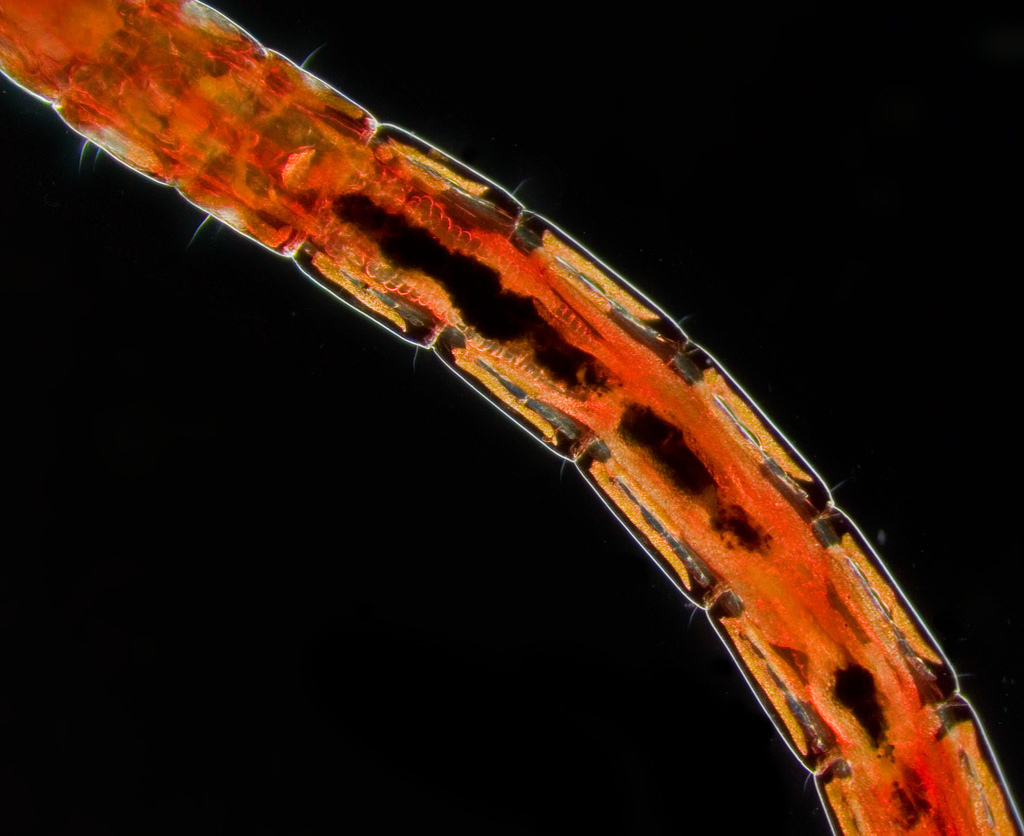
Artist: lamiot, from english wikipedia with : “Photo by me, Jasper Nance.
4X lomo objective, 10X ocular. Taken with a Pentax K10D and a substage flash using a condenser stop for darkfield effect.”
Polarized Light Microscopy (PLM) with Polarizer and Analyzer
Placing a linear polarizer in the illumination path and a second, rotatable analyzer in the imaging path allows you to study birefringence and optical anisotropy. When the polarizer and analyzer are oriented nearly perpendicular (crossed), isotropic regions appear dark while birefringent structures transmit light depending on their orientation and retardance. This approach reveals stress lines, crystal habits, and fiber orientations that brightfield alone may conceal.
Tips for setup:
- Keep the polarizer near the field plane in transmitted light, and place the analyzer above the objective or in the eyepiece tube if a dedicated slot is available.
- Rotate the stage or analyzer to explore how contrast changes with orientation; this helps distinguish true birefringence from glare.

Artist: Hannes Grobe
Considerations: Polarizers reduce intensity; combine them with ND filters if needed to stabilize exposure. Some optical elements, such as beamsplitters, can produce polarization-dependent intensity shifts; minor orientation adjustments can mitigate these effects.
Rheinberg Illumination with Colored Stops
Rheinberg illumination uses a colored central stop and a differently colored annulus. The background takes on the color of the annulus, while diffracted or scattered light from the specimen shows the color of the central stop. When designed carefully, this produces images with vivid contrast that highlight edges and fine structures. Although often used for educational display, it can also help separate overlapping features by color coding them based on how they scatter light.
Placement: Install the colored elements in the condenser aperture plane. Keep the specimen centered and adjust condenser focus to maintain a sharp annulus. A small change in condenser height can make a big difference in color uniformity across the field.
Oblique Illumination with Sector Stops
Oblique illumination blocks part of the condenser aperture to favor light coming from one direction. The result is shadow-like contrast that accentuates edges. It is particularly effective for transparent, low-absorption specimens where brightfield lacks punch.
Tips: Start with a moderate sector void (e.g., one quadrant) and rotate the stop to optimize edge visibility without distorting shapes. If the effect is too strong, reduce the sector size or crack the condenser aperture slightly more open to soften the shading.
Green or Narrow-Band Imaging for Monochrome Contrast
In monochrome imaging, a green or narrow-band filter near the mid-visible range often provides a good balance of intensity and contrast. Restricting the spectrum reduces chromatic focus variation across the field and can deliver a crisper, less nullgrainynull appearance. This is useful when evaluating fine textures and edges by eye, or when using a monochrome camera that does not need the full color gamut.
Note: Narrow bands reduce intensity. Pair them with adequate illumination and consider stacking a mild ND filter only if needed to fine-tune exposure.
Physical Formats, Mounting Options, and Compatibility
Filters come in various shapes and sizes to fit different microscopes and workflows. Understanding common formats will help you choose components that mount securely and sit in the correct optical plane.
Common Filter Formats
- Round drop-in discs: Often used in a lamphouse tray or beneath the condenser. Diameters vary; check your microscopenulls tray or holder dimensions.
- Square or rectangular sliders: Insert into dedicated slots in the stand, condenser, or illuminator. Convenient for quick swaps among ND, color, or polarizing elements.
- Threaded filters: For reflected-light paths, some accessories accept threaded optics. Verify thread specification and clear aperture to avoid vignetting.
- Turret or cassette systems: Multiple filters mounted in a rotary or sliding mechanism for rapid selection. Useful for alternating among several contrast conditions.
- Thin film plates or gel filters: Lightweight solutions for mild color correction or diffusion; they may be more sensitive to heat and scratching.
Placement Guidance by Use-Case
- ND and color balancing: Place near the field diaphragm or in the illumination tray to maintain uniformity across the field.
- Stops and annuli (darkfield, Rheinberg, oblique): Place in the condenser aperture plane to control the angular distribution of light.
- Polarizers: Put the polarizer in the illumination path and the analyzer in the imaging path (often a slot above the objective or inside the tube).
- IR-/UV-cut and emission cleanup: Place close to the camera or detection path to protect the sensor and suppress out-of-band light.
Compatibility Checks
- Clear aperture: The filternulls clear aperture must cover the relevant light cone; too small a clear aperture can vignette the field or restrict the effective aperture.
- Thickness and spacing: Thick filters in converging beams can add spherical aberration or induce slight focus shifts. If possible, place thicker elements near a collimated section of the beam (e.g., near the field diaphragm or camera entrance window).
- Coatings: AR coatings reduce reflections; interference coatings define LP/SP/BP behavior. Keep coated surfaces clean and avoid harsh contact during mounting.
- Heat tolerance: Filters near high-power lamps must withstand elevated temperatures. If using thin gels, keep them away from hot lamphouses and consider a heat-absorbing glass element upstream.
If younullre unsure where to place a new accessory, cross-reference this section with Choosing the Right Filter for typical goals and with Troubleshooting to prevent common placement-induced artifacts.
Choosing the Right Filter for Your Microscope and Sample
Selecting filters is most effective when you link your choice to a clear imaging goal. The following decision framework connects common problems with practical filter solutions, along with considerations to maintain image fidelity.

Artist: Dave Dugdale from Superior, USA
Problem: The image is uncomfortably bright
- Solution: Insert an ND filter with OD 0.1null0.6 to start. This range provides mild to moderate attenuation without major color shift.
- Consider: If highlights clip on camera but the view is acceptable by eye, combine an ND filter with a slightly reduced exposure time to preserve dynamic range.
Problem: Colors look too warm under halogen
- Solution: Try a mild blue or daylight-balancing filter in the illumination path, then set a custom white balance on the camera.
- Consider: If stains or pigments are central to your observation, ensure the color balancing filter is not excessively altering their appearance. Use a milder filter and rely on camera calibration to avoid misinterpretation.
Problem: Haze or flare reduces contrast
- Solution: Add an IR-cut filter to block near-infrared when using broadband sources; check for stray light paths and reflections.
- Consider: Examine whether the filter surfaces are clean and AR coated. A dirty or uncoated surface near an image plane can increase veiling glare.
Problem: Uneven illumination or hotspot from LED
- Solution: Place a mild diffuser near the field diaphragm to smooth intensity gradients. Avoid placing the diffuser in the aperture plane if you want to preserve angular coherence for contrast methods.
- Consider: Combine with careful alignment of the condenser and field diaphragm to achieve even illumination without over-diffusing.
Problem: Transparent specimens lack contrast
- Solution: Experiment with oblique illumination using a sector stop; consider Rheinberg elements for educational highlights.
- Consider: Place the stop precisely in the condenser aperture plane; small misalignments can cause asymmetries. Use rotation to find the best edge enhancement.
Problem: Monochrome camera images look noisy or inconsistent
- Solution: Use a green or moderate bandpass filter to restrict the spectrum. This can stabilize focus and perceived micro-contrast.
- Consider: Balance between band width and intensity. Narrower bands increase exposure times; ensure your illumination can compensate without adding heat or flicker.
Problem: Polarization study shows weak effects
- Solution: Confirm that the polarizer and analyzer are correctly oriented (near crossed for initial inspection) and that the analyzer is truly in the imaging path.
- Consider: Some optical components depolarize or rotate polarization slightly. Test the baseline extinction by removing the specimen and rotating the analyzer for maximum darkness; this sets your reference for evaluating birefringence.
As you choose a filter or stop, remember to verify clear aperture, coating, and heat tolerance. A correctly specified filter in the wrong place may still cause vignetting or unwanted reflections. Equally, a well-placed filter of the wrong type can remove critical information from the spectrum. Aim for the simplest filter that solves your problem, then refine from there.
Care, Cleaning, and Handling of Optical Filters
Filters are precision optics. Proper care extends their lifespan and preserves their optical performance.
- Handling: Hold filters by the edges. Avoid touching coated surfaces. If a mount or ring is provided, use it.
- Dust management: Use a blower to remove loose dust. Follow with a clean, lint-free optical wipe only if needed.
- Cleaning solvents: Start with a small amount of high-purity water or a mild optical cleaner on a lens tissue. Avoid soaking. Some interference coatings or cemented filters may be sensitive to aggressive solvents.
- Storage: Keep filters in labeled cases or envelopes. Store in a dry environment to prevent fungus growth on organic materials and to reduce corrosion risk on coatings.
- Inspection: Periodically check for scratches, coating damage, or delamination. Replace or rotate out compromised filters to maintain consistent imaging.
When cleaning, be gentle. Many perceived nullstainsnull are actually thin-film interference patterns from residual oils; these can be removed with careful, sparing use of cleaner and a fresh wipe. Over-cleaning can cause micro-scratches that introduce stray light, especially noticeable in darkfield and oblique methods.
Measuring Transmission, Optical Density, and Spectral Curves
Understanding a filternulls specification sheet is essential for predictable results. Here are the most common parameters and how they relate to image formation.
Optical Density (OD) and Transmission (T)
Optical density quantifies how much a filter attenuates light on a logarithmic scale. It is defined by the relationship:
OD = -log10(T)
T  = 10^(-OD)
Transmission T is often reported as a fraction (0 to 1) or as a percentage (0% to 100%). For example, OD 0.3 corresponds to T null 0.5 (50%), OD 1.0 to T null 0.1 (10%), and OD 2.0 to T null 0.01 (1%). In practical terms, OD lets you easily compute exposure changes when stacking ND filters; in ideal additive behavior, OD values sum to yield the combined attenuation.
Spectral Transmission Curves
Color, LP, SP, and BP filters are characterized by their spectral transmission plots. Key attributes include:
- Cut-on / cut-off wavelength: The wavelength at which an LP begins to transmit (cut-on) or an SP begins to block (cut-off), often defined at a specific transmission threshold (e.g., 50%).
- Passband width: For BP filters, the full width at half maximum (FWHM) quantifies the bandnulls width at 50% of peak transmission.
- Peak transmission: The maximum transmission within the passband. High-quality filters aim for high peak transmission and steep edges to minimize bleed-through.
- Blocking outside the band: Specified as maximum transmission (or OD) outside the desired range. Strong blocking is important when stray wavelengths could degrade contrast.
Interpreting these curves helps you predict how a filter will affect colors, brightness, and contrast. For instance, a narrow green BP will suppress red and blue components; if your specimennulls features are primarily blue-absorbing, you might lose contrast unless you broaden the band or shift it.
Angle of Incidence Effects
Interference filters (LP, SP, BP based on thin-film stacks) are sensitive to the angle at which light strikes them. As incidence angle increases from normal, the effective optical thickness of the layers changes, and the passband typically shifts toward shorter wavelengths. In practical terms:
- Place interference filters in approximately collimated beams where possible.
- Avoid large tilts unless a small wavelength shift is intentional.
- In fast, converging beams, expect some passband broadening or shift; test and, if feasible, relocate the filter to a section of the optical path with gentler convergence.
Wavefront and Surface Quality
High-quality filters maintain good transmitted wavefront quality and flatness. In critical imaging, especially at higher magnifications, filters with poor surface quality can introduce aberrations or small contrast-reducing halos. While many applications tolerate standard quality glass, ensure that filters placed close to image-forming planes meet reasonable flatness and surface specifications to avoid adding blur or ghosting.
Stray Light and Reflections
Every airnullglass interface can reflect a small fraction of light. Multiple uncoated surfaces near the image plane can cause ghost images or veiling glare. AR coatings and tilted mounts (subtle, a few degrees) can reduce ghost reflections, but tilting must be balanced against angle-dependent spectral shifts for interference filters. In non-interference ND or color filters, a mild tilt may help suppress symmetrical ghosting without materially changing color balance.
Troubleshooting Image Artifacts Linked to Filters
Many imaging artifacts can be traced to filter selection, placement, or condition. Here are common issues, their likely causes, and practical fixes.
Vignetting or Field Darkening
- Symptom: Corners look darker than the center, especially at lower magnifications or wide fields.
- Causes: Filter clear aperture too small; filter positioned in a location where the beam is wider than the filter; thick mounts intruding into the light path.
- Fix: Use a filter with larger clear aperture, move the filter closer to a collimated section (e.g., field diaphragm area), or use lower-profile mounts.
Color Casts or Uneven White Balance
- Symptom: Images appear too warm/cool or show a gradient in color.
- Causes: Non-neutral ND filters; color-correcting filters used off-axis; scratches or dirt introducing scattered light; partial coverage by a colored gel.
- Fix: Replace with a spectrally flatter ND; clean filter surfaces; ensure the filter fully covers the beam; re-run camera white balance after adjustments.
Ghost Images or Flare
- Symptom: Faint, displaced duplicates of bright features; washed-out contrast.
- Causes: Multiple uncoated surfaces; parallel glass plates near an image plane; reflections between sensor cover glass and an added filter.
- Fix: Use AR-coated filters; if possible, add a slight tilt to one element (avoid on interference filters if spectral stability is critical); relocate the filter to a less image-sensitive plane.
Newtonnulls Rings or Interference Fringes
- Symptom: Concentric or wavy interference patterns across the field.
- Causes: Two smooth glass surfaces in near contact (e.g., a filter pressed against another window) forming an air wedge.
- Fix: Slightly separate the elements; introduce a minimal tilt; ensure spacers or mounts prevent direct parallel contact.
Focus Shift After Inserting a Filter
- Symptom: The focal plane moves slightly when a filter is inserted or removed.
- Causes: Thick glass in a converging beam can introduce optical path length changes.
- Fix: Place the filter in a more collimated section of the path; use thinner substrates; refocus after changing the filter and standardize the workflow to include focus checks.
Heat-Related Discoloration or Warping
- Symptom: Gel filters or unmounted elements discolor or deform near the illuminator.
- Causes: Proximity to high-power lamps or insufficient heat management.
- Fix: Move heat-sensitive elements away from the source; use heat-absorbing glass upstream; switch to higher-temperature-tolerant glass filters where necessary.
When diagnosing artifacts, change one variable at a time. Remove suspect filters to establish a baseline, then reintroduce them systematically while observing changes. Cross-reference with specifications to ensure the filternulls expected performance aligns with what you see at the eyepiece or on the screen.
Frequently Asked Questions
Do I need a green filter for brightfield microscopy?
Not necessarily. A green filter can simplify the spectrum, offer comfortable monochrome viewing, and stabilize focus for some optical combinations. However, it is not a requirement for brightfield. If your goal is accurate color reproduction of stained specimens, a green filter may suppress critical hues. For monochrome imaging or when evaluating fine textures without regard to color, a moderate green or mid-band filter can be beneficial. If you prefer a neutral appearance, an ND filter and proper white balance may achieve your goals without narrowing the spectrum.
Where should I place an IR-cut filter: in the illumination or imaging path?
Either placement can work, depending on your goal. If you want to prevent IR from reaching the sample (for example, to reduce heating or IR-induced background), place the IR-cut in the illumination path. If the main concern is protecting the camera or preventing IR from reducing image contrast, place it in the imaging path close to the sensor. In some setups, both may be appropriate: a heat-absorbing element near the light source, plus an IR-cut closer to the camera for best contrast. Whichever you choose, confirm adequate clear aperture and placement to avoid vignetting or reflections.
Final Thoughts on Choosing the Right Microscope Filters
Filters are among the most effective, flexible, and cost-conscious accessories you can add to a microscope. Whether you need to stabilize brightness with ND, fine-tune color with balancing filters, isolate wavelengths with LP/SP/BP elements, enhance contrast with polarizers and stops, or simply tame hotspots with a diffuser, the right filter placed in the right optical plane can elevate both viewing and imaging quality. Success hinges on matching the filter to a clear objective, installing it in an appropriate location with adequate clear aperture, and confirming its behavior with straightforward checks for uniformity, color neutrality, and stray light.
If you found this guide helpful, explore related topics on illumination and contrast methods, and consider subscribing to our newsletter for future deep dives into practical microscopy accessories, techniques, and troubleshooting strategies. Thoughtful use of filters opens the door to clearer, more informative imagesnulland a more enjoyable time at the microscope.


